


 marphike
Hi,
I mostly use standalone controllers like the rx3, xdj-az, and club setup in clubs (cdj and mixer).
when I use the jog in the negative direction as shown in the image, you can see that it is shown correctly in the software. on the screens of the standalone units it isn't the case. it only "scrolls back" to the very first beginning of the track (time: 0:00:0) even if you use the jogwheel to go to -0:02.2. That makes it hard to know when the track really starts if you rely on the screens of the units.
I hope this makes sense for you to understand.
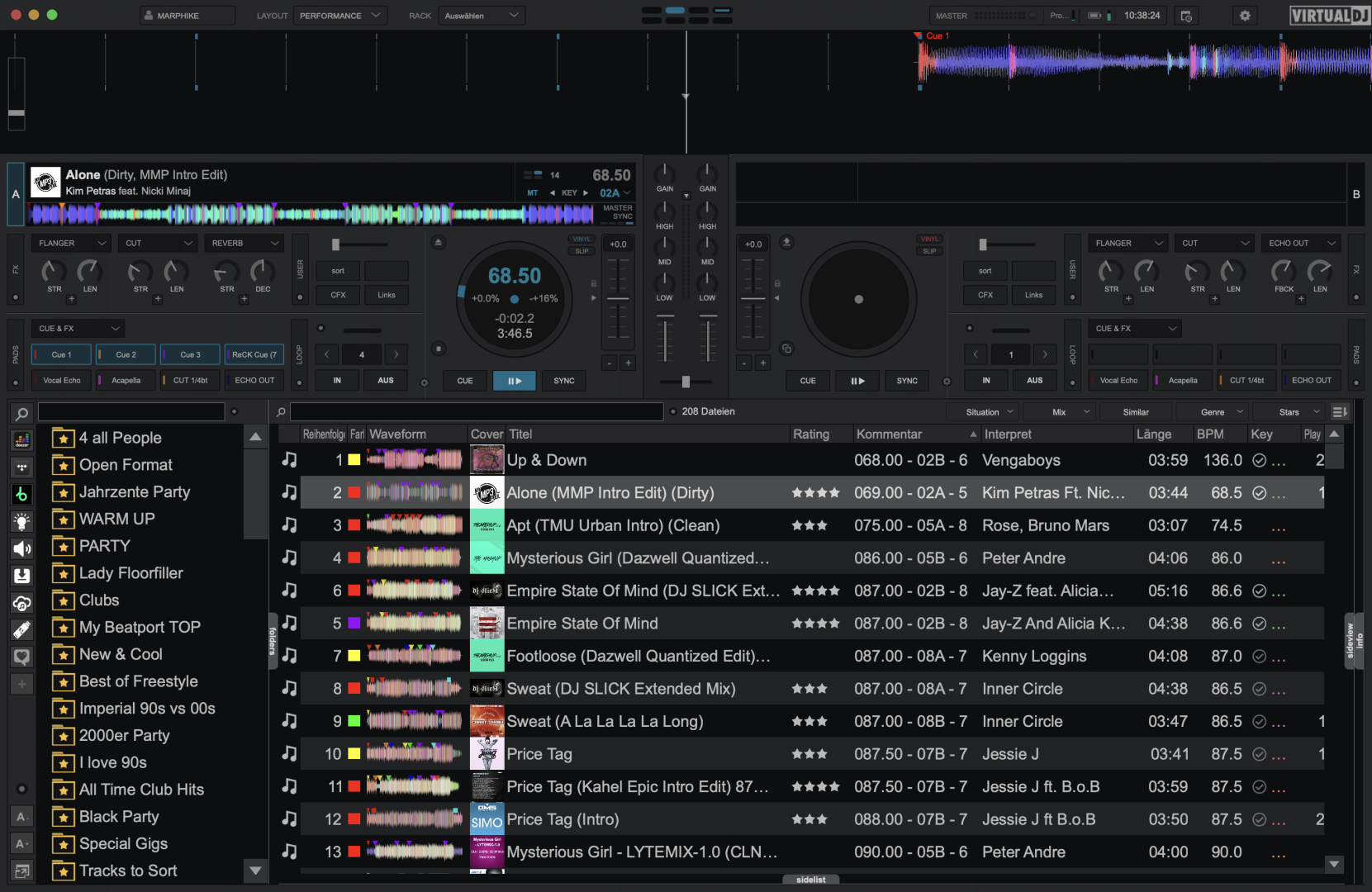
is there a setting or a way to show it as in the software?
I mostly use standalone controllers like the rx3, xdj-az, and club setup in clubs (cdj and mixer).
when I use the jog in the negative direction as shown in the image, you can see that it is shown correctly in the software. on the screens of the standalone units it isn't the case. it only "scrolls back" to the very first beginning of the track (time: 0:00:0) even if you use the jogwheel to go to -0:02.2. That makes it hard to know when the track really starts if you rely on the screens of the units.
I hope this makes sense for you to understand.
is there a setting or a way to show it as in the software?
geposted Mon 25 May 26 @ 8:45 am
 PhantomDeejay
No. That's a limitation of Pioneer controllers. They cannot move the waveform in negative time (time before the track starts)
PS: VirtualDJ does not "paint" the waveforms directly on the screen. Instead, it sends the entire track's waveform data when you load the track, and the controller/CDJ will place the correct area on screen based on the "elapsed" time of the track.
Unfortunately, the firmware of those devices does not accept "negative" elapsed times, and therefore it cannot position the waveform further back in time as the GUI does.
PS: VirtualDJ does not "paint" the waveforms directly on the screen. Instead, it sends the entire track's waveform data when you load the track, and the controller/CDJ will place the correct area on screen based on the "elapsed" time of the track.
Unfortunately, the firmware of those devices does not accept "negative" elapsed times, and therefore it cannot position the waveform further back in time as the GUI does.
geposted Mon 25 May 26 @ 9:24 am
 groovindj
Should there not be a limit applied in VDJ then, so that it matches the hardware display?
geposted Mon 25 May 26 @ 9:31 am
marphike
Thanks for the quick reply.
Ok. I saw that the screens on the jogs are going negative. this could be a workaround for me than. I should use the jog displays.
I think if you limit it in vdj it gets more confused because normally you need the negative amount to scratch in. if you limit the amount you don't see where the "playhead" really is. exactly this is the problem on the standalone screens.
Ok. I saw that the screens on the jogs are going negative. this could be a workaround for me than. I should use the jog displays.
I think if you limit it in vdj it gets more confused because normally you need the negative amount to scratch in. if you limit the amount you don't see where the "playhead" really is. exactly this is the problem on the standalone screens.
geposted Mon 25 May 26 @ 9:48 am
PhantomDeejay
groovindj wrote :
Should there not be a limit applied in VDJ then, so that it matches the hardware display?
Why should we degrade the GUI ? So that it matches the stupid firmware limitation of Pioneer ?
:P
Obviously the answer is no!
We try to make device support as more coherent as possible, but we will never limit the software because a device just "can't" do something..
geposted Mon 25 May 26 @ 10:13 am
groovindj
PhantomDeejay wrote :
Why should we
This thread is the example of why! 🙂
The displays don't match. The user doesn't understand.
geposted Mon 25 May 26 @ 10:19 am
PhantomDeejay
Then you get the opposite:
The user tries with controller, he can't go back.
The user tries without the controller (or another controller) and he can go back.
The user doesn't understand.. :p
The user tries with controller, he can't go back.
The user tries without the controller (or another controller) and he can go back.
The user doesn't understand.. :p
geposted Mon 25 May 26 @ 10:24 am