


It's interesting that when I search either folders or in general that the last play column disappears. Is there a reason for this and can I change it?
geposted Wed 08 Jul 26 @ 4:53 pm
 Adion
Adion
Right-click the column header and select last played to show it :)
geposted Wed 08 Jul 26 @ 5:05 pm
 PhantomDeejay
While you are still viewing search results.. :P
Some "views" have their own set of columns. Search is one of them.
IIRC, there are different sets of columns for History, Search, Filters, Playlists and Regular (system) folders.
Some "views" have their own set of columns. Search is one of them.
IIRC, there are different sets of columns for History, Search, Filters, Playlists and Regular (system) folders.
geposted Wed 08 Jul 26 @ 5:12 pm
yes, while i am still viewing the search results.
geposted Wed 08 Jul 26 @ 7:01 pm
PhantomDeejay
No, I meant do what Adion said above, while you are seeing search results on your browser (in other words while search is active)
geposted Wed 08 Jul 26 @ 9:52 pm
It says it's already selected when I am in the search even though it doesn't show up.
geposted Sun 19 Jul 26 @ 12:28 am
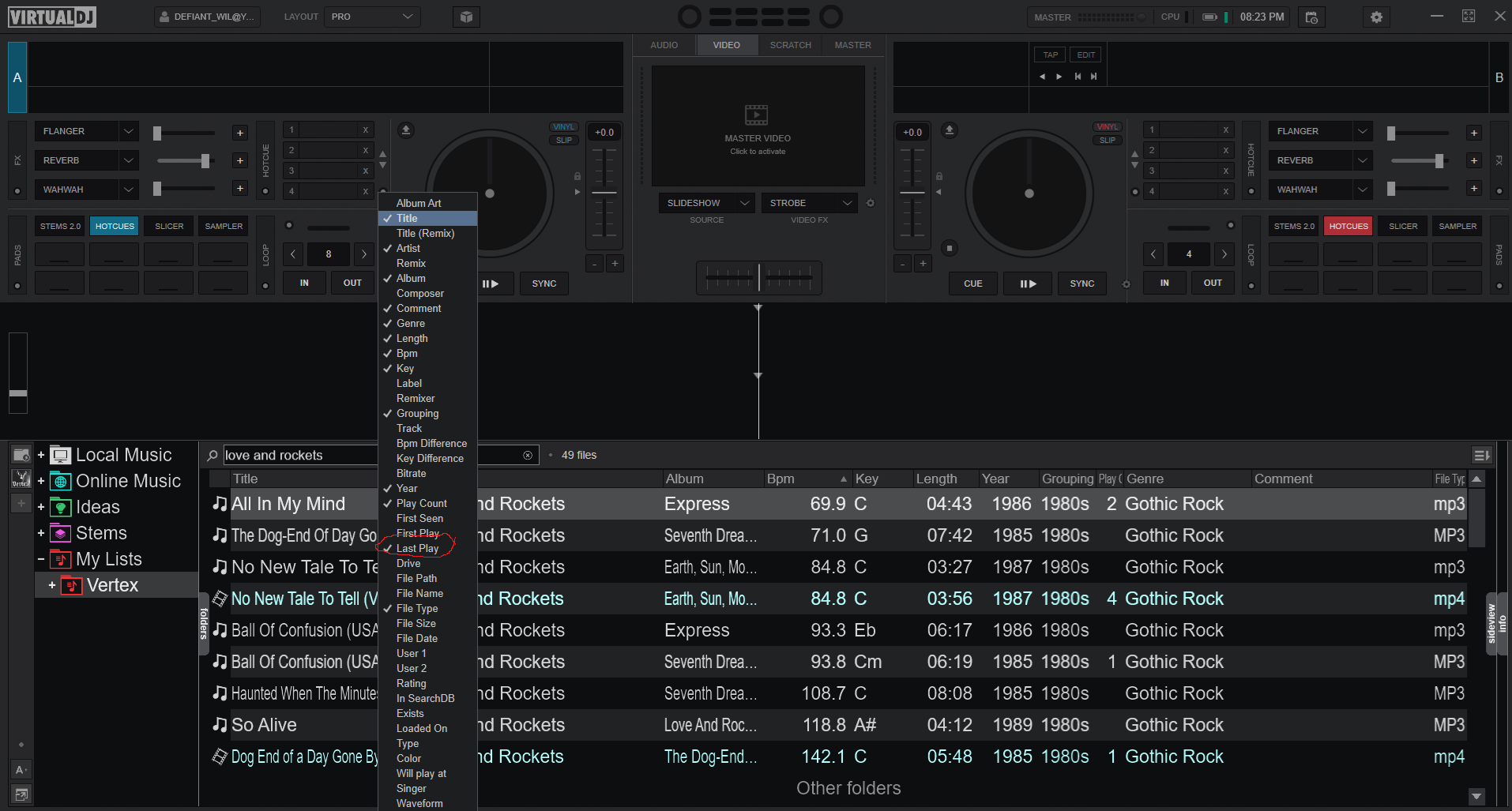
geposted Sun 19 Jul 26 @ 1:23 am
 wickedmix
scroll to the right its probably just off the screen or adjust column order and or size
humm maybe not sorry
humm maybe not sorry
geposted Sun 19 Jul 26 @ 1:50 am
PhantomDeejay
Wil Peters wrote :
It's somewhere there.. but it's resized to "zero" width column size..
Try to place your mouse on each column edge and try to resize it. You should be able to "catch" the Last Played field at some point and resize it to something that's visible.
Otherwise open settings, search for the "browserColumns" setting and click the small X icon on the right.
This will reset this setting and will also reset all the visible columns and their width for all views.
geposted Mon 20 Jul 26 @ 10:05 am
I thank you all for your suggestions. Unfortunately none of them worked. It was only when I got so frustrated that I turned off almost every column, including last played, and then turned last played on first, that it appeared. I cannot explain it. I am just happy it’s there and I have re-added the rest of my columns.
geposted Thu 13 Aug 26 @ 10:19 pm