


LaunchControl XL 3
DAW Mixer
- Press the MODE button once.
- Press the "DAW Mixer " button once.
- Press the MODE button once again.
The unit is now in "DAW Mixer " mode
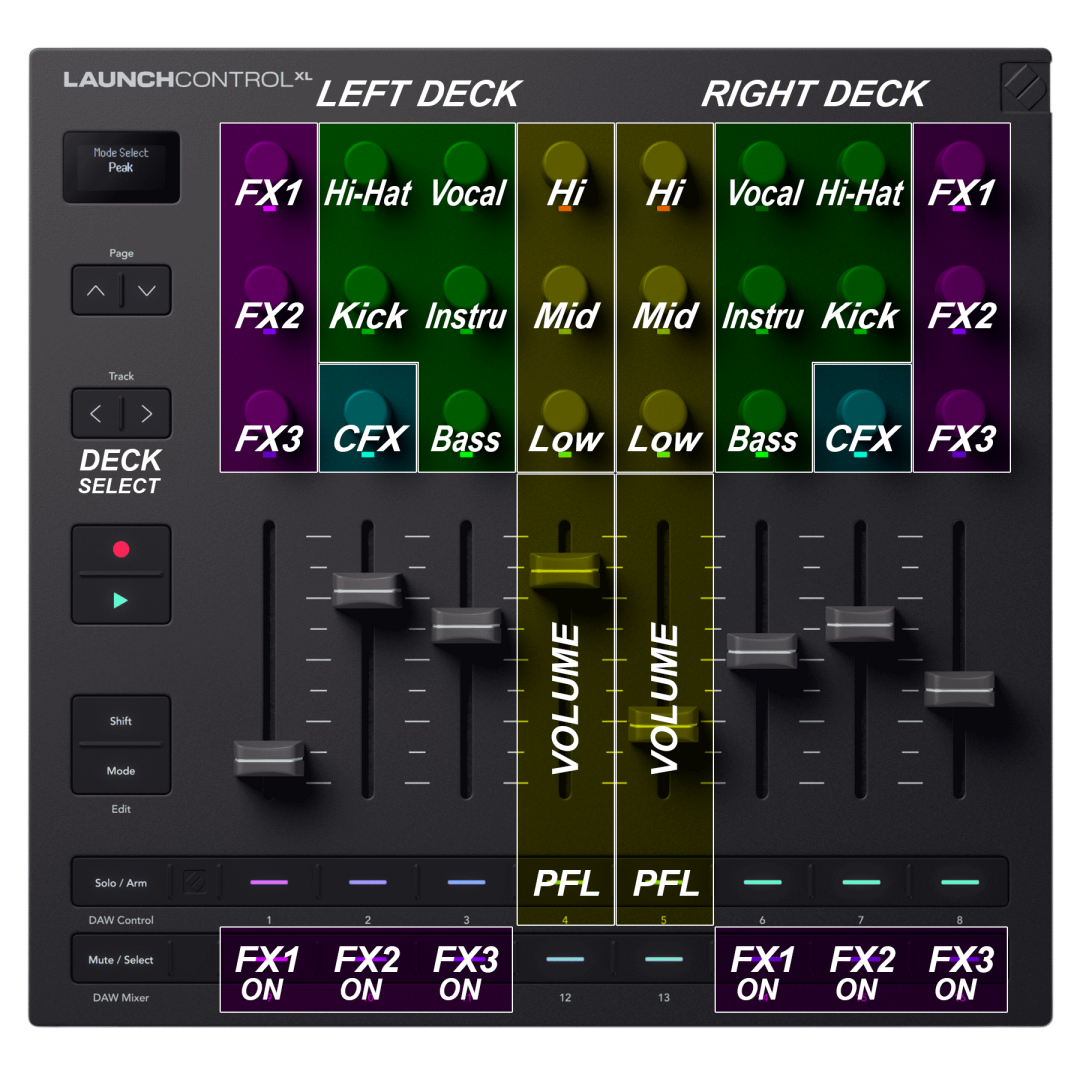
This mode is pre-mapped to simulate an advanced Mixer allowing you to control Effects, EQ, Stems and Volume for Left/Right Decks:
- The 3 FX encoders control the 1st parameter of each of the 3 effect slots of the assigned deck.
- Press the LEFT "Track" button to switch the left deck between decks 1 & 3
- Press the RIGHT "Track" button to switch the right deck between decks 2 & 4