


 musicbycsharp
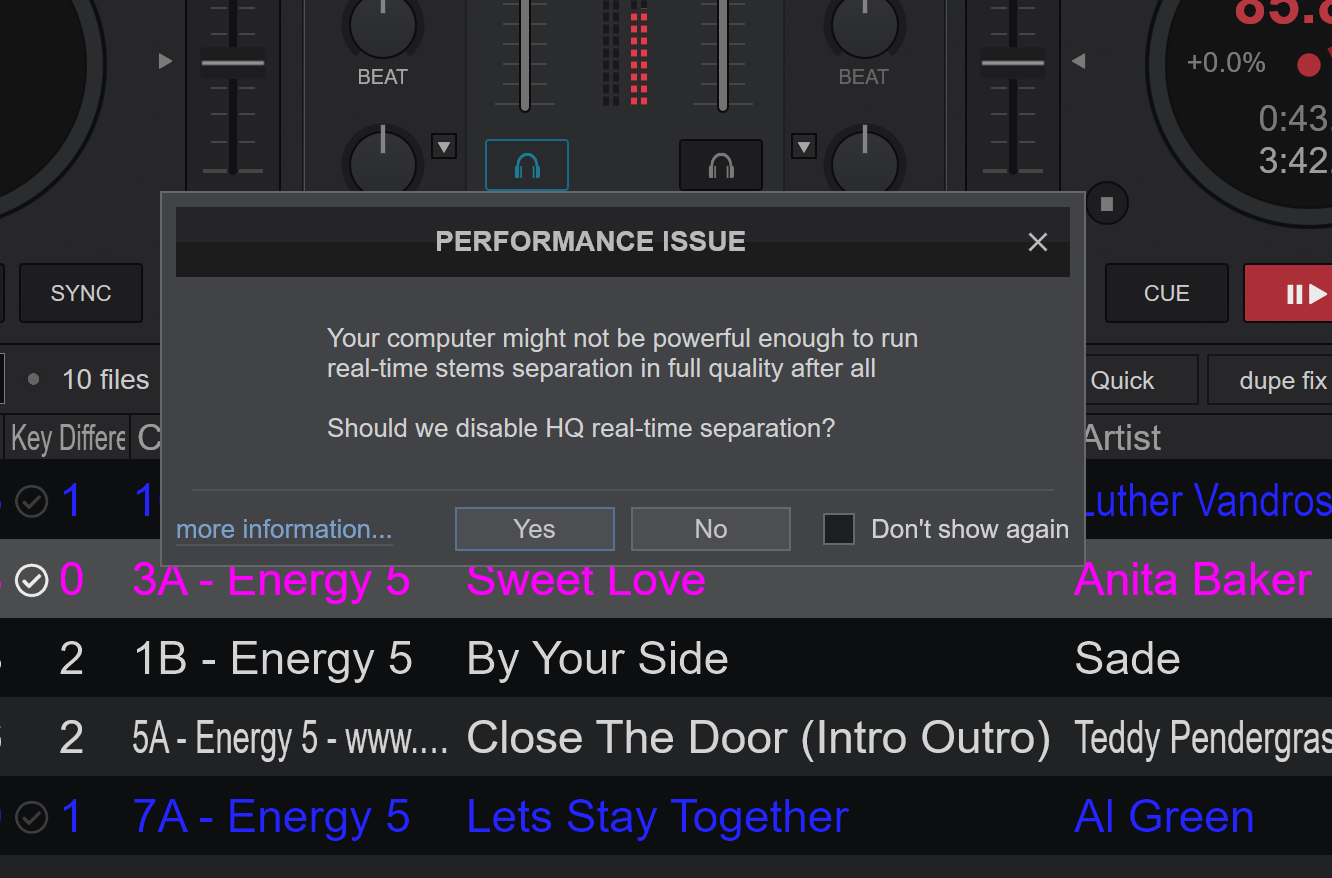
I have been seeing this dialog box often over the past 2 weeks, and I am not sure why this would be an issue on my machine. My specs are the following:
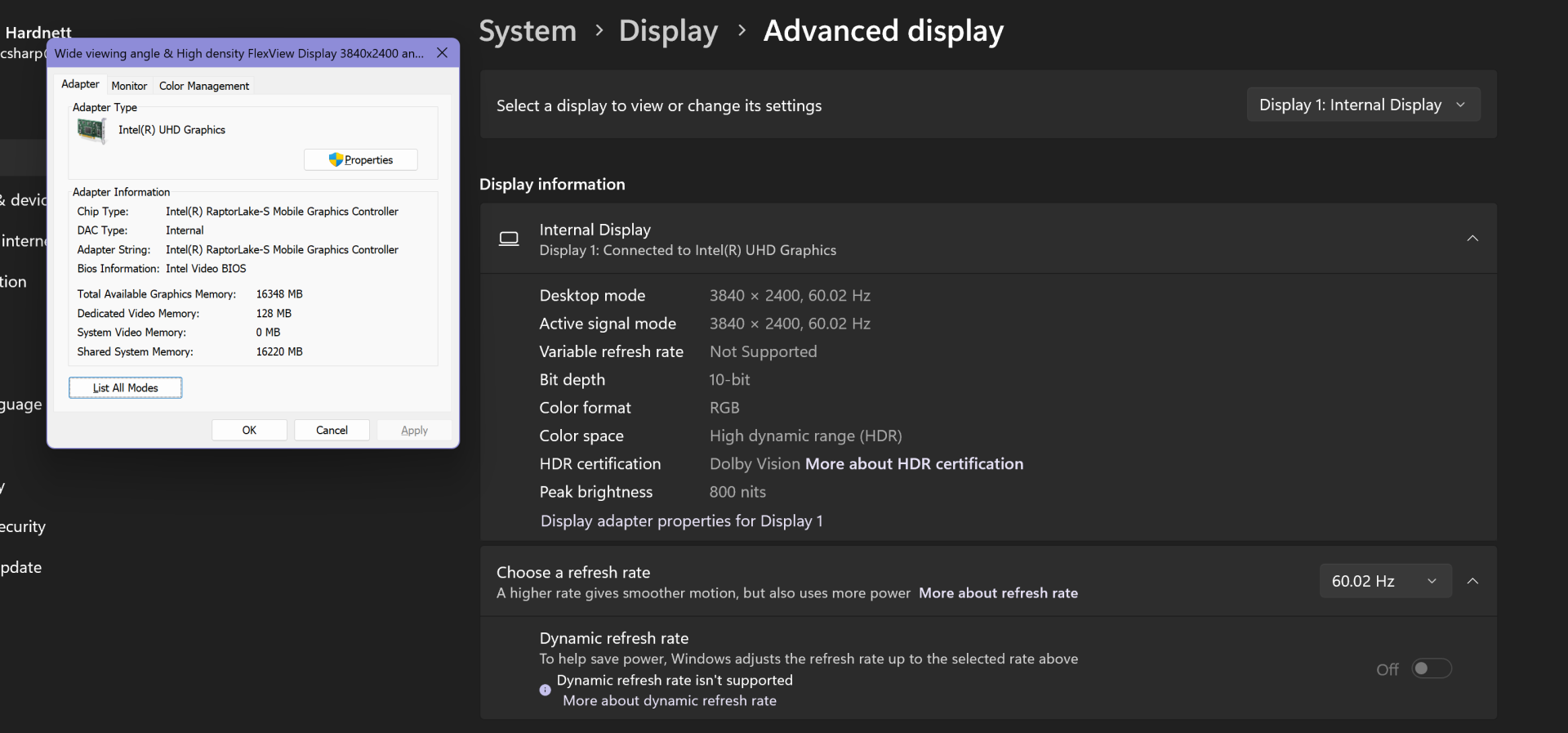
Processor Intel(R) Core(TM) i7-14700HX (2.10 GHz)
Installed RAM 32.0 GB (31.7 GB usable)
GPU 0 Intel UHD Graphics (sharing 16 GB of the RAM)
GPU 1 RTX-2000 Ada Generation (8 GB dedicated and sharing 16 GB of the RAM)
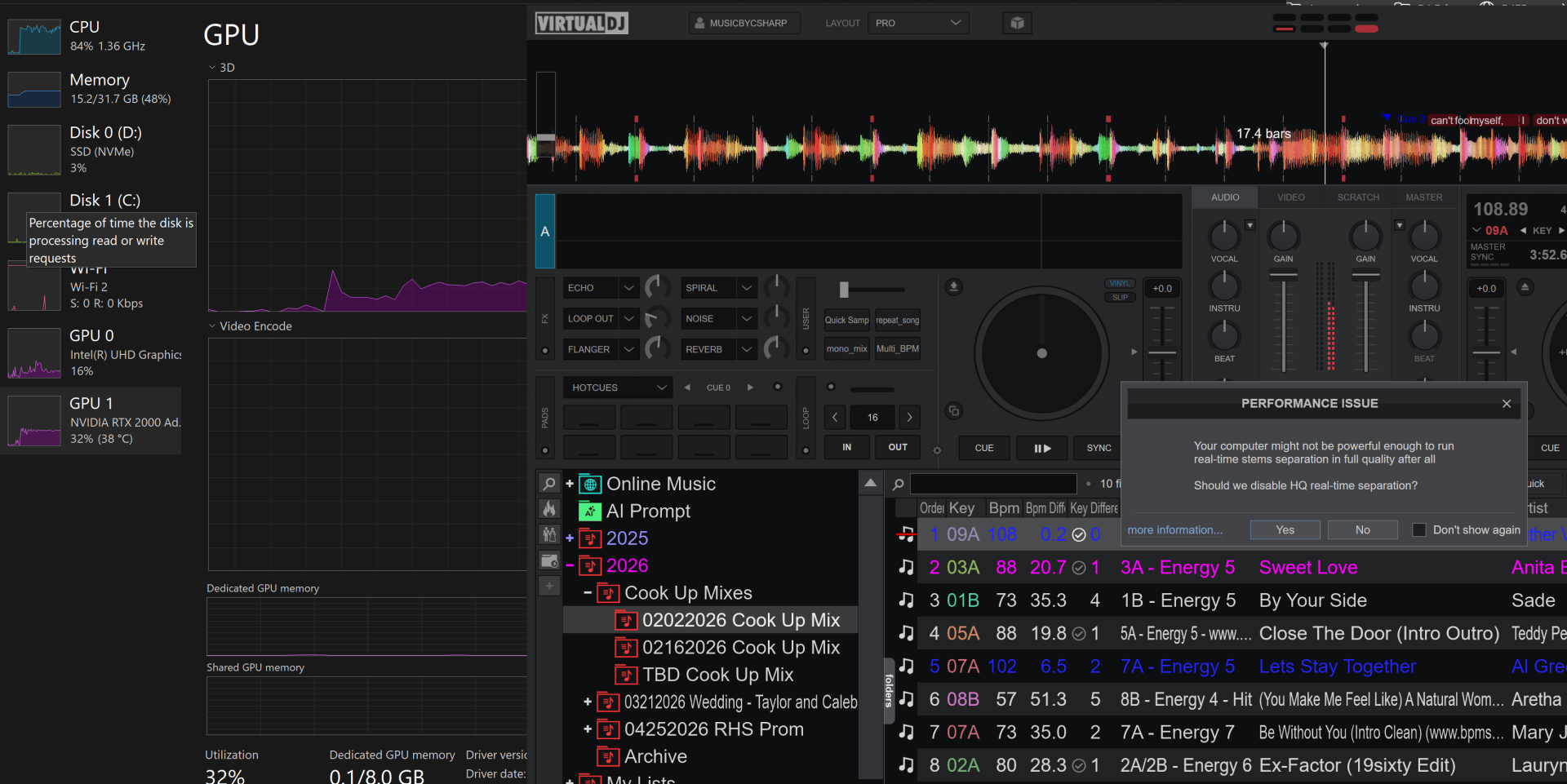
When the stems are enabled I see the following utilization:
GPU 0 ~16% using 1.8/16 GB
GPU 1 ~35% using 0.1/8 GB of the dedicated memory and 0.1/16GB of the shared.
Processor is at 3% utilization
So from what I can tell, the machine is not being stressed, and should have the capacity to handle real-time stems without any warnings. What is causing VDJ to issue this warning?
Processor Intel(R) Core(TM) i7-14700HX (2.10 GHz)
Installed RAM 32.0 GB (31.7 GB usable)
GPU 0 Intel UHD Graphics (sharing 16 GB of the RAM)
GPU 1 RTX-2000 Ada Generation (8 GB dedicated and sharing 16 GB of the RAM)
When the stems are enabled I see the following utilization:
GPU 0 ~16% using 1.8/16 GB
GPU 1 ~35% using 0.1/8 GB of the dedicated memory and 0.1/16GB of the shared.
Processor is at 3% utilization
So from what I can tell, the machine is not being stressed, and should have the capacity to handle real-time stems without any warnings. What is causing VDJ to issue this warning?
geposted Wed 28 Jan 26 @ 7:21 pm
 Adion
Adion
Since you only have memory usage on GPU 0, it appears the intel integrated is used for stems instead of the nvidia.
You can manually set stemsGPU to the nvidia to make sure it is used instead.
You can manually set stemsGPU to the nvidia to make sure it is used instead.
geposted Wed 28 Jan 26 @ 7:24 pm
musicbycsharp
Adion wrote :
Since you only have memory usage on GPU 0, it appears the intel integrated is used for stems instead of the nvidia.
You can manually set stemsGPU to the nvidia to make sure it is used instead.
You can manually set stemsGPU to the nvidia to make sure it is used instead.
It's already set to use the NVIDIA GPU. And that's why I looked at the utilization in the 3rd screen shot where you can see that the NVIDIA is engaged when the stems are engaged. The UHD is just handling the VDJ screen rendering.
geposted Wed 28 Jan 26 @ 7:39 pm
Adion
Try to wait for stems anyway, then open options and press the cog at the bottom right and open systemreport.txt, it should show some more details about the actual speed and gpu used
geposted Thu 29 Jan 26 @ 5:50 am
musicbycsharp
Thank you. I had forgotten about the systemreport. Turns out that the energy saver mode was on even though the laptop was plugged in. So there was a warning about the "Power Mode" not being balanced. Flipping off the energy saver mode corrected the issue and now Stems are at 3.7x vs 1.7x when the energy saver mode was engaged.
geposted Thu 29 Jan 26 @ 2:07 pm